Voice Augmentation
An agent that passes every test under clean audio conditions may fail the same tests under realistic ones. Voice benchmarking research consistently shows a pass-rate drop between clean and noisy environments, and the drop isn't just about speech recognition accuracy. Background noise, interruptions, and cross-talk test whether the agent's conversation logic holds up: turn detection, recovery from barge-in, tool-calling sequences under garbled input, and handling off-mic speech.
Augmentation is how you create those conditions. It injects realistic audio effects (noise, interruptions, side conversations) into your voice runs so you can run the same test suite under controlled adversity.
What Augmentation Does
Each augmentation strategy modifies one aspect of the audio or conversation flow during the simulation:
| Strategy | What it does | When to use |
|---|---|---|
noise | Mixes background noise (cafeteria, traffic, etc.) into the caller's audio at a configured SNR | Validate ASR robustness; baseline of every realistic run |
barge_in | The caller interrupts the agent mid-reply with a short prompt | Test the agent's interruption handling and recovery |
backchannel | Caller utters a short acknowledgement ("mm-hmm", "right") while the agent speaks | Test the agent's turn-detection logic |
directed_speech | Caller turns away mid-call to address someone in their environment, in their own turn or over the agent's reply | Test the agent against off-mic cross-talk |
secondary_speaker | A second voice in the room interjects, after the caller's line or over the agent's reply | Test multi-speaker robustness, and whether the agent keeps talking through speech not meant for it |
cap | Driver emits multiple consecutive messages per turn (Concurrent Ask Probability) | Stress-test agent behavior when the caller sends a burst of messages |
dropout | The caller goes silent for an entire turn | Test whether the agent notices dead air and re-prompts |
Composition Rule
Augmentation is configured with the augmentation parameter of okareo.run_simulation(...). Composition is constrained:
You may use at most one strategy, or
noisecombined with one other strategy.
Valid combos: noise alone, barge_in alone, noise + barge_in, noise + backchannel, noise + dropout, etc. Invalid: barge_in + backchannel, dropout + barge_in (or dropout with any strategy other than noise), or any three strategies together.
Configuring Augmentation
In the App
In the simulation form, once a voice target is selected, open Advanced Settings and scroll to Voice Simulation Settings:
-
Background Noise: Select a profile from the dropdown (Cafeteria, Classroom, Office Babble, Traffic, or None), then set the Signal to Noise Ratio (-5 to 25 dB). Lower SNR means more noise relative to the speaker.
-
Voice Augmentation: Pick one strategy from the chips: Barge-In, Backchannel, Directed Speech, Secondary Speaker, Background Speaker, Concurrent Ask, or Dropout. Each strategy shows its own parameter fields when selected. Background Speaker is a secondary speaker whose remark plays over the agent's reply: it has the same fields as Secondary Speaker, with Min Offset (ms) and Max Offset (ms), as on Barge-In, in place of Pause (ms). Directed Speech has an Interrupt the agent switch that does the same for its remark and shows the same two fields (see Background speech over the agent).
-
Background noise and the augmentation strategy are independent controls. Combine noise with one strategy (e.g. noise + barge-in); you cannot select two strategies at once.
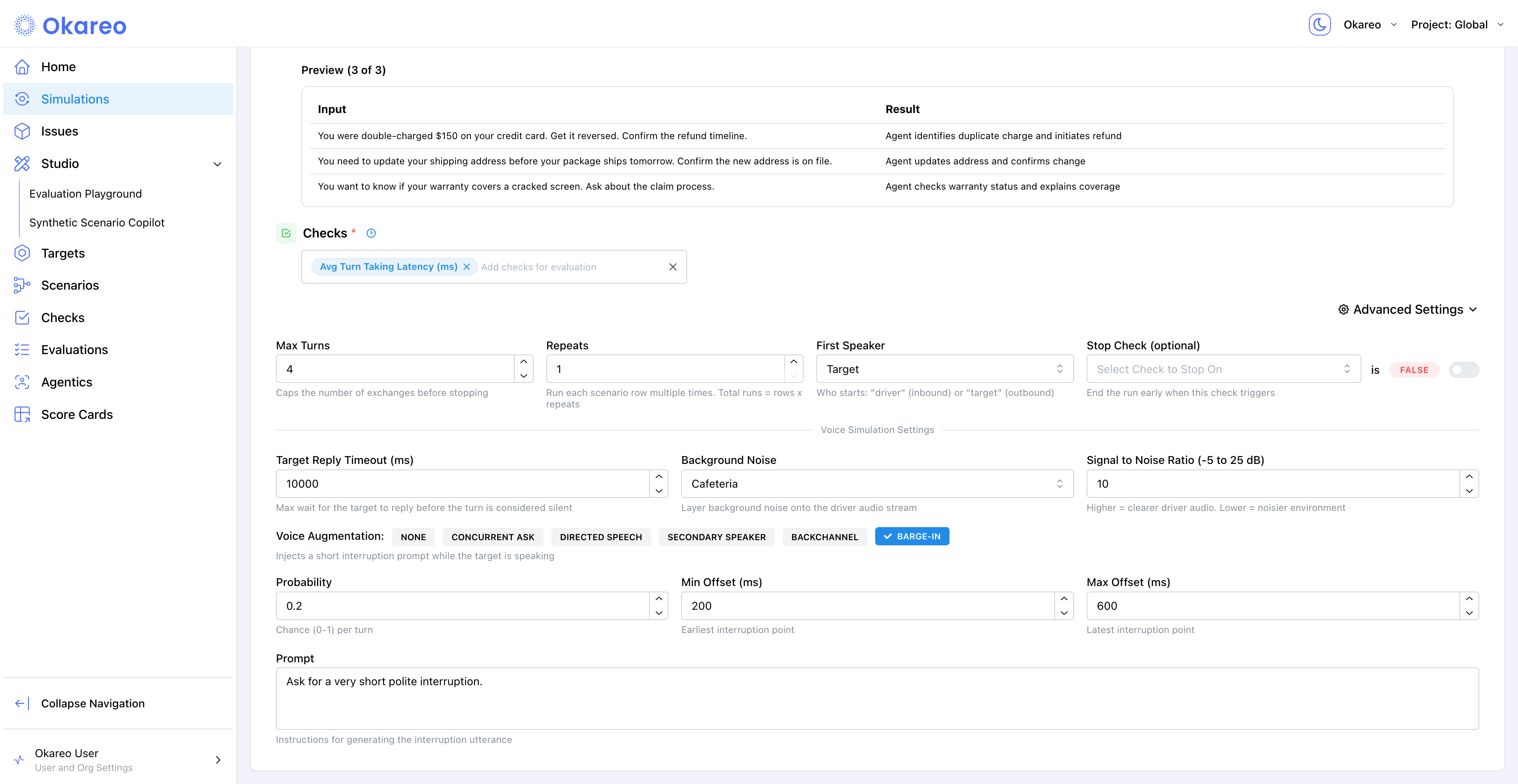
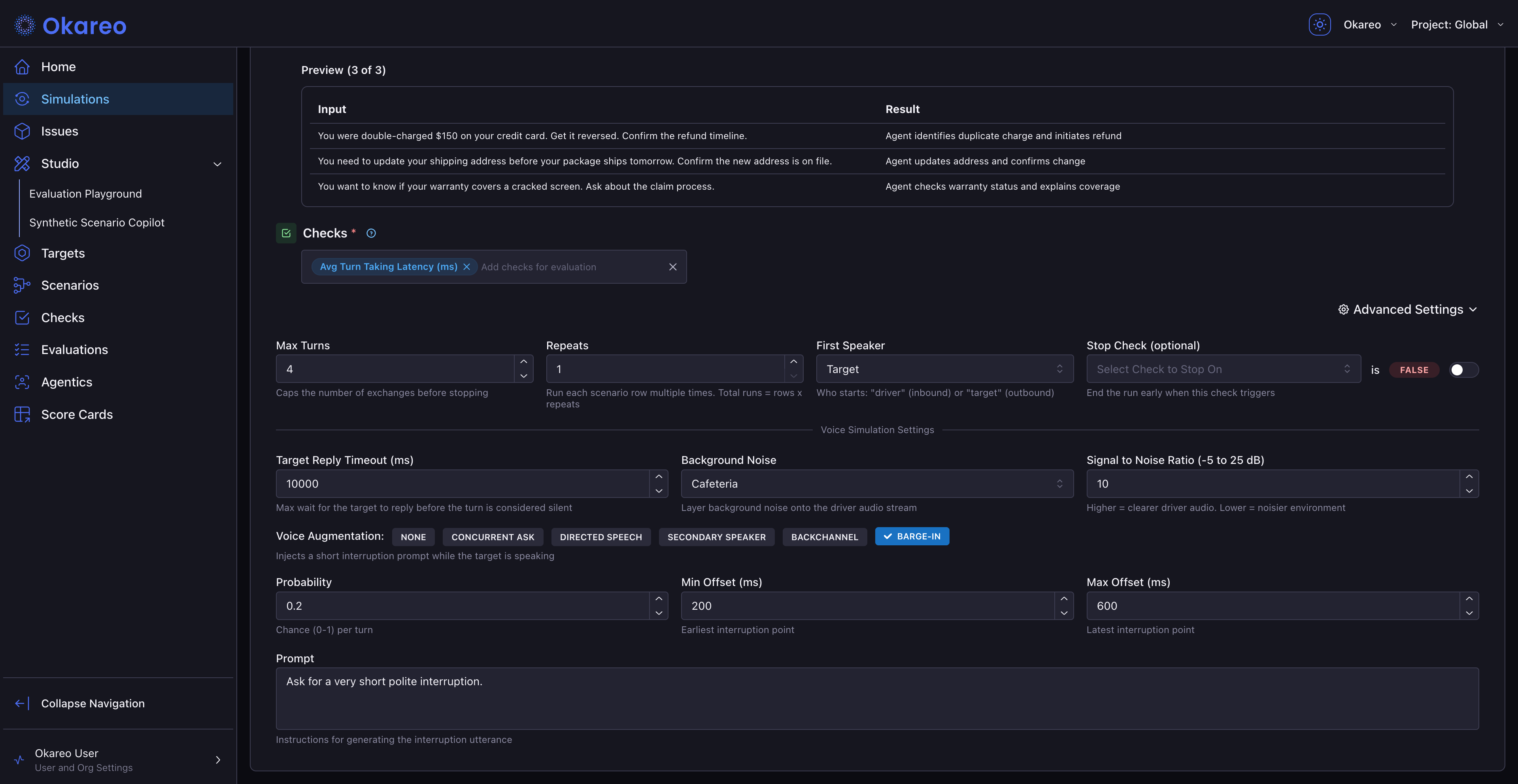
Some parameter defaults differ between the UI form and the server/SDK. Where they differ, the strategy parameter tables below note the server defaults. If you need the same behavior across both paths, set values explicitly.
From the SDK
Pass an Augmentation container to okareo.run_simulation(...). Each strategy has a typed config class in okareo.augmentations; set one strategy field, or noise plus one other.
from okareo.augmentations import Augmentation, BargeInAugmentation, NoiseAugmentation

result = okareo.run_simulation(
    name="Noise + Barge-In",
    target=target,
    scenario=scenario,
    driver=driver,
    max_turns=5,
    first_turn="driver",
    checks=["time_to_first_audio", "result_completed"],
    augmentation=Augmentation(
        noise=NoiseAugmentation(profile="cafeteria", snr_db=10),
        barge_in=BargeInAugmentation(
            probability=0.5,
            min_offset_ms=200,
            max_offset_ms=600,
            prompt="Ask for a very short polite interruption.",
        ),
    ),
)
print(f"Results: {result.app_link}")
The strategy classes are NoiseAugmentation, BargeInAugmentation, BackchannelAugmentation, DirectedSpeechAugmentation, SecondarySpeakerAugmentation, CAPAugmentation, and DropoutAugmentation, matching the strategy keys in the table above.
For example, to have the caller go silent on roughly one turn in five:
from okareo.augmentations import Augmentation, DropoutAugmentation

augmentation = Augmentation(dropout=DropoutAugmentation(probability=0.2))
Strategy Parameters
Parameter names, types, and defaults below are from the server strategy constructors (the source of truth for what the API accepts).
When an augmentation fires
barge_in, backchannel, directed_speech, secondary_speaker and dropout take two parameters that bound when they can fire: start_at_turn (default 1) and end_at_turn (default: no limit; must be at least start_at_turn).
cap and noise do not take either parameter. cap also sets a run-wide pause between turns, which a start turn could not delay; background noise is an environment rather than an event, and on phone connections the noise bed is set up once when the call connects.
The turns they count are the caller's turns — the turns Okareo's simulated caller takes, not the agent's replies. Counting begins once the agent has actually said something, so ringing, dial tone, hold music and an empty greeting do not advance it. On a call that opens with three seconds of ringing tone, start_at_turn=1 lands on the first real turn of the conversation rather than during the tone. These are not the transcript's own turn numbers, so an augmentation can land on a later row than its number suggests.
Turns outside the window are left completely alone: the probability is not even rolled.
Firing on one specific turn
Set both ends to the same number and set the probability to 1:
Augmentation(dropout=DropoutAugmentation(probability=1.0, start_at_turn=3, end_at_turn=3))
The window decides where an augmentation may fire; the probability is still rolled inside it. With dropout's default of probability=0.1, start_at_turn=3, end_at_turn=3 would do nothing in nine runs out of ten. Each strategy has its own default, so check the table for the one you are using.
Dropout leaves an already-quiet line alone
Dropout only silences a caller turn the agent could actually react to. If the agent said nothing on the previous turn the line is already quiet, and the caller's turn is the only thing that can revive it, so it is left alone.
On an agent that replies every turn — the usual case — this never comes up: start_at_turn=N, end_at_turn=N with probability=1.0 drops turn N. It only matters for agents that can fall silent mid-call, for instance one that answers a turn with a tool call and no speech; a dropout aimed at the turn straight after that may not fire.
noise
| Parameter | Type | Valid values | Default |
|---|---|---|---|
noise_profile | string | cafeteria, classroom, office_babble, traffic | required (no default) |
noise_snr_db | number | -5 to 25 | 10 |
seed | int or null | Any integer for reproducibility | null |
Lower SNR = more noise relative to the speaker. 10 is moderate; try 0 to 5 for stress conditions.
The UI form defaults noise_profile to cafeteria, but the API requires you to specify it explicitly. Omitting it returns a 400 error.
Aliases accepted: profile → noise_profile, snr_db → noise_snr_db. The SDK's NoiseAugmentation(profile=..., snr_db=...) uses the alias names.
barge_in
| Parameter | Type | Range / Notes | Default |
|---|---|---|---|
prompt | string | LLM instruction for the interruption phrasing | required |
probability | number | 0 to 1 (per agent turn) | 0.2 |
min_offset_ms | int | 0 or above | 200 |
max_offset_ms | int | at least min_offset_ms | 600 |
start_at_turn | int | 1 or above. First caller turn this can fire on. See When an augmentation fires | 1 |
end_at_turn | int or null | At least start_at_turn. Last caller turn this can fire on; null is no limit. See When an augmentation fires | null |
seed | int or null | Reproducibility | null |
Probability is per agent reply; min_offset_ms / max_offset_ms is the delay after the agent starts speaking before the interruption fires.
backchannel
| Parameter | Type | Range / Notes | Default |
|---|---|---|---|
utterance | string | Non-empty after trim | mm-hmm |
probability | number | 0 to 1 | 0.35 |
min_offset_ms | int | 0 or above | 150 |
max_offset_ms | int | at least min_offset_ms | 450 |
start_at_turn | int | 1 or above. First caller turn this can fire on. See When an augmentation fires | 1 |
end_at_turn | int or null | At least start_at_turn. Last caller turn this can fire on; null is no limit. See When an augmentation fires | null |
seed | int or null | Reproducibility | null |
Backchannels repeat while the target is speaking. They do not consume a turn.
The UI form uses different offset defaults (1000/10000). The values above are the server defaults. When calling via SDK, specify offsets explicitly if you want the wider window.
directed_speech
| Parameter | Type | Range / Notes | Default |
|---|---|---|---|
prompt | string or null | LLM instruction for the off-mic remark | (built-in template) |
probability | number | 0 to 1 | 0.3 |
lpf_cutoff_hz | number | 1 to 20000 | 800 |
gain_db | number | -40 to 0 | -8 |
start_at_turn | int | 1 or above. First caller turn this can fire on. See When an augmentation fires | 1 |
end_at_turn | int or null | At least start_at_turn. Last caller turn this can fire on; null is no limit. See When an augmentation fires | null |
interrupt | bool | Play the remark over the agent's reply instead of in the caller's turn. See Background speech over the agent | false |
min_offset_ms | int | 0 or above. Only with interrupt | 200 |
max_offset_ms | int | At least min_offset_ms. Only with interrupt | 600 |
seed | int or null | Reproducibility | null |
Low-pass filter and gain attenuation simulate the muffled, off-mic quality of someone turning their head away from the phone.
secondary_speaker
| Parameter | Type | Range / Notes | Default |
|---|---|---|---|
secondary_prompt | string or null | LLM instruction for the second speaker's interjection | (built-in template) |
secondary_voice | string | Named voice from Okareo's voice catalog | Cathy - Coworker |
probability | number | 0 to 1 | 0.3 |
inter_speaker_pause_ms | int | 0 to 5000. Not with interrupt | 120 |
lpf_cutoff_hz | number or null | 1 to 20000 (null disables) | 800 |
gain_db | number | -40 to 0 | -8 |
start_at_turn | int | 1 or above. First caller turn this can fire on. See When an augmentation fires | 1 |
end_at_turn | int or null | At least start_at_turn. Last caller turn this can fire on; null is no limit. See When an augmentation fires | null |
interrupt | bool | Play the remark over the agent's reply instead of in the caller's turn. See Background speech over the agent | false |
min_offset_ms | int | 0 or above. Only with interrupt | 200 |
max_offset_ms | int | At least min_offset_ms. Only with interrupt | 600 |
seed | int or null | Reproducibility | null |
Aliases accepted: prompt → secondary_prompt, voice → secondary_voice. The SDK's SecondarySpeakerAugmentation(voice=..., prompt=...) uses the alias names.
The UI form defaults to Carson - Curious Conversationalist. The server default is Cathy - Coworker. Specify secondary_voice explicitly when calling via SDK.
Background speech over the agent
By default, directed_speech and secondary_speaker speak in the caller's turn: the remark comes right after the caller's line, before the agent replies. Set interrupt to true to play it over the agent's reply instead. This tests whether the agent keeps talking through speech that isn't addressed to it, like someone in the caller's room asking "Did you have coffee?" while the agent reads out account details.
With interrupt on:
- The caller says their normal line, and the remark starts
min_offset_mstomax_offset_msafter the agent starts replying. The defaults are 200 and 600 ms, the same as barge-in. - The remark doesn't take a turn. The caller's next line responds to whatever the agent said.
- The remark appears in the transcript as a note beside the conversation, with who spoke it and when, not as a caller message.
- If the agent doesn't speak on that turn, or finishes before the delay, nothing plays.
- It needs a connection where the caller can interrupt the agent, as barge-in does: phone, SIP, or WebRTC, but not SIP dialed directly. On other connections the augmentation is left out and the run still succeeds.
min_offset_ms and max_offset_ms are only accepted with interrupt on, and inter_speaker_pause_ms only with it off.
In the app, pick the Background Speaker chip for secondary_speaker with interrupt on, or turn on Interrupt the agent under Directed Speech.
from okareo.augmentations import Augmentation, SecondarySpeakerAugmentation

augmentation = Augmentation(
    secondary_speaker=SecondarySpeakerAugmentation(
        probability=1.0,
        voice="Cathy - Coworker",
        prompt='Ask the caller something offhand and unrelated to the call, e.g. "Did you have coffee?"',
        interrupt=True,
        start_at_turn=2,
        end_at_turn=2,
    )
)
The SDK fields interrupt, min_offset_ms, max_offset_ms, and seed on DirectedSpeechAugmentation and SecondarySpeakerAugmentation require okareo 0.0.161 or later.
cap
| Parameter | Type | Range / Notes | Default |
|---|---|---|---|
probability | number | 0 to 1 | 0.3 |
pause_ms | int or null | 0 to 10000, maps to turn_transition_time on the target | 1000 |
cap does not take start_at_turn or end_at_turn, and neither does noise. See When an augmentation fires.
When the probability gate fires, the driver emits multiple consecutive messages in a single turn. The number of messages comes from the driver's get_default_consecutive_messages() setting (typically 2). The pause_ms controls the gap between the driver finishing and the target responding.
dropout
| Parameter | Type | Range / Notes | Default |
|---|---|---|---|
probability | number | 0 to 1 (per caller turn) | 0.1 |
start_at_turn | int | 1 or above. First caller turn this can fire on. See When an augmentation fires | 1 |
end_at_turn | int or null | At least start_at_turn. Last caller turn this can fire on; null is no limit. See When an augmentation fires | null |
seed | int or null | Reproducibility | null |
Each dropped turn adds dead air until the agent speaks again or the target reply timeout elapses (silence_timeout_ms, 10 seconds by default). The dropped turn is not counted toward turn-taking latency, and the dropped turn numbers appear in the results.
Augmentation(dropout=DropoutAugmentation(probability=1.0, start_at_turn=3))
Reading Augmented Results
Compare the augmented run's mean_scores against a clean baseline. The expected pattern:
time_to_first_audiorises as the agent works harder against noise or interruptions.result_completedmay drop if the agent can't handle the augmented conditions.response_loopflips to0if the agent gets stuck after an interruption.- With
dropout, the dropped caller turns are marked in the transcript so you can see how the agent handled the silence.
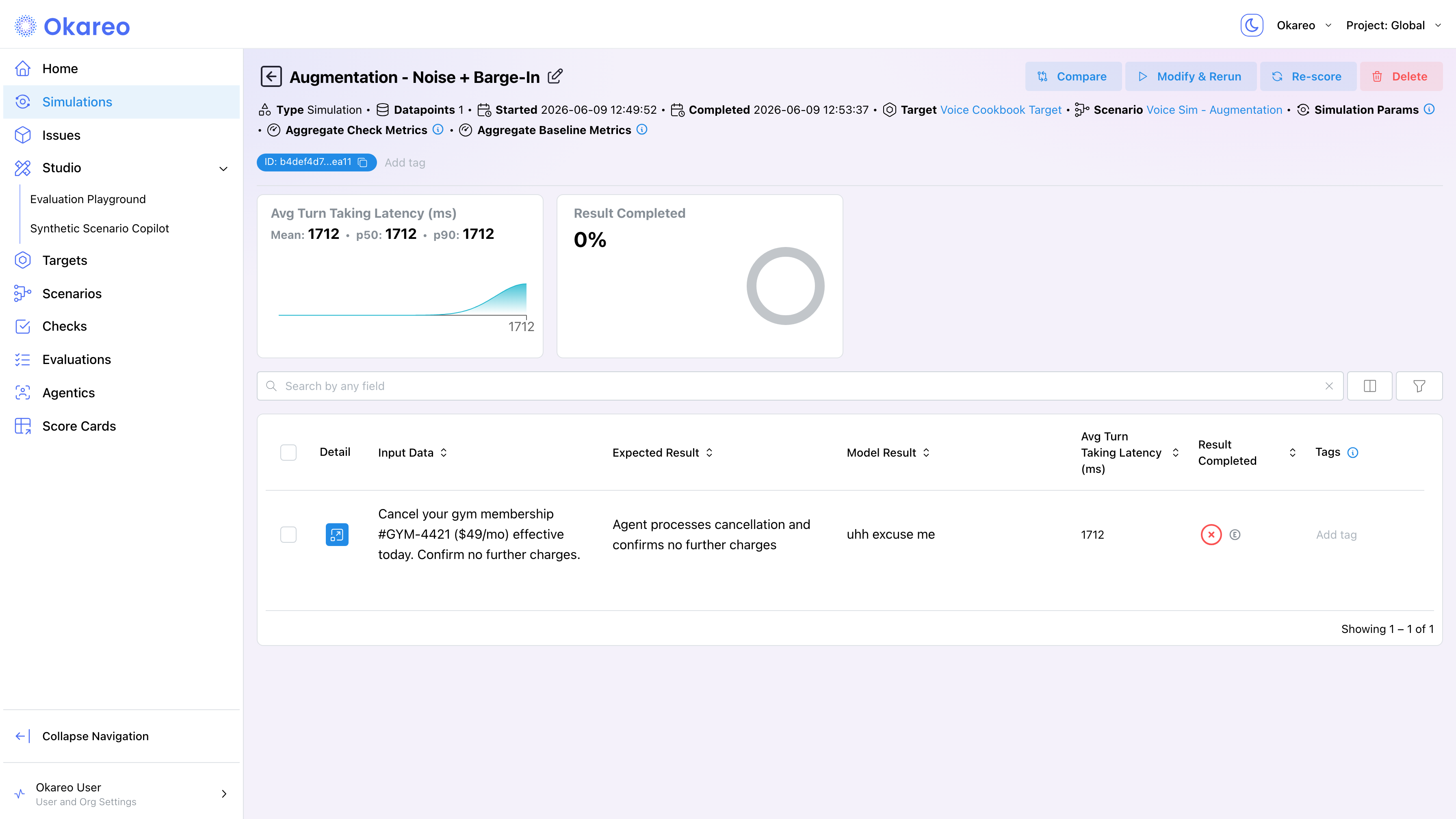
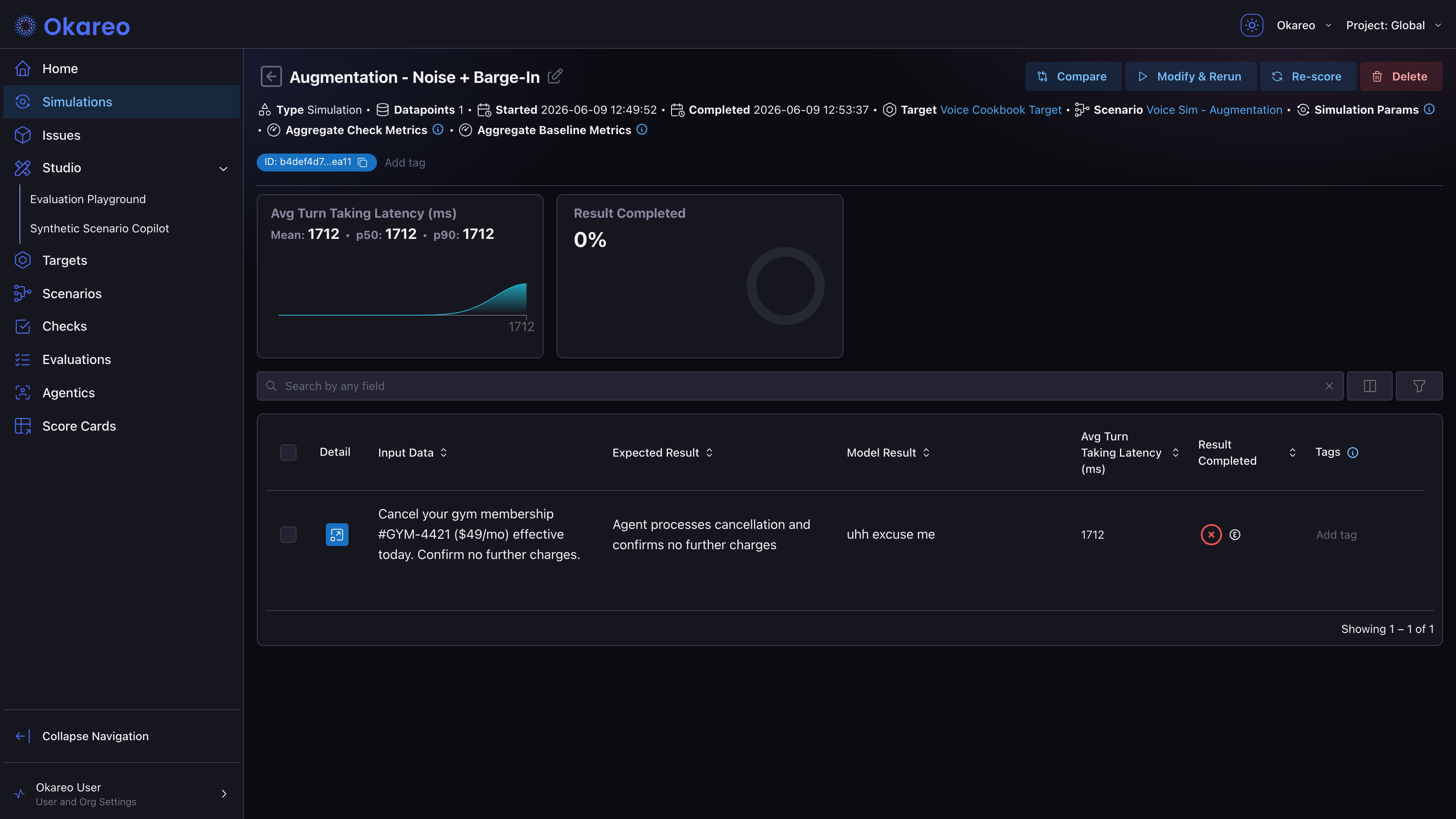
For a structured comparison between baseline and augmented runs, see Experimentation and A/B Testing.
Where to Go Next
- Voice Checks: checks that respond to augmented conditions.
- Experimentation and A/B Testing: diff augmented vs baseline runs.
- Load Testing: combine augmentation with concurrency.
Full runnable script: 06_augmentation.py